
How to Add B2B Ordering to QuickBooks (Without Replacing Your System)
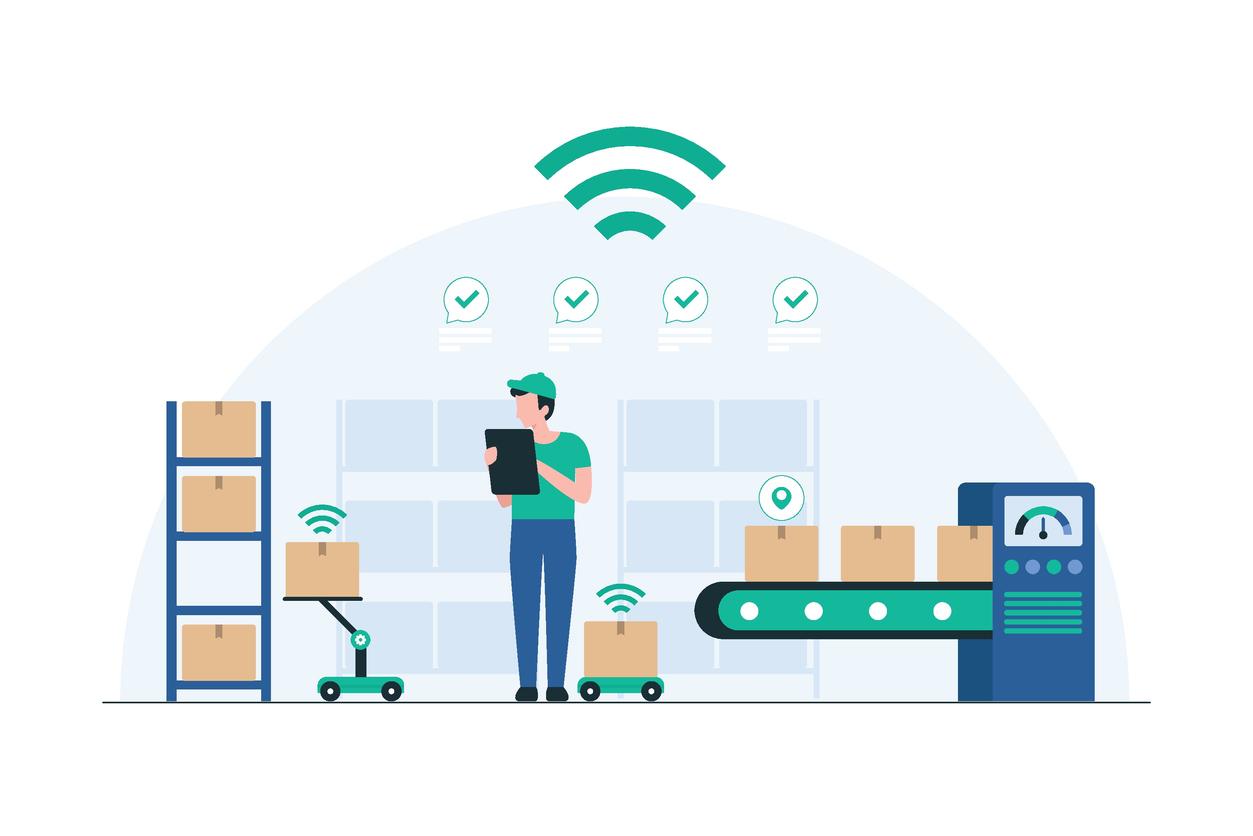
QuickBooks handles your accounting. It tracks invoices, manages payments, and keeps your books clean. But if you're a wholesale distributor or manufacturer trying to take B2B orders through QuickBooks, you've already hit the wall.
There's no customer-facing ordering portal. No way for your reps to take orders on the road. No real-time inventory visibility for buyers. And every order that comes in by phone, email, fax, or text has to be manually keyed into QuickBooks - which means double entry, errors, and hours of wasted time every day.
The fix isn't replacing QuickBooks. It's adding a B2B ordering layer that integrates directly with it.
This guide covers how wholesale distributors and manufacturers can add self-service ordering portals, mobile order entry for reps, and automated order-to-invoice sync - all while keeping QuickBooks as the system of record. We'll cover both QuickBooks Online and QuickBooks Desktop, because the integration approach is different for each.
The Core Problem: QuickBooks Wasn't Built for B2B Ordering
QuickBooks is accounting software. It's excellent at what it does - invoicing, payments, reporting, tax compliance. But wholesale distributors and manufacturers need capabilities that QuickBooks simply doesn't have:
No customer-facing portal. Your buyers can't log in and place orders themselves. Every order comes through a phone call, an email, a text message, or a handwritten sheet from a trade show. Someone on your team has to manually enter every single one.
No customer-specific pricing. Wholesale distributors often have different pricing tiers for different customers - volume discounts, contract pricing, promotional rates. QuickBooks has limited support for price levels, and no way to expose those dynamically to a buyer placing an order.
No mobile order entry for field reps. If your sales reps visit accounts in person, they're either writing orders on paper, typing them into notes on their phone, or trying to use QuickBooks on a tablet - which isn't designed for field conditions, especially with poor connectivity.
No real-time inventory visibility. Buyers and reps can't see what's actually in stock before placing an order. This leads to backorders, substitutions, and frustrated customers.
Limited units of measure support. This is a common pain point for distributors. QuickBooks Online has a units of measure feature, but it's basic - it doesn't handle the complex pack sizes, case quantities, and split-case ordering that wholesale distribution requires. QuickBooks Desktop has better UOM support, but it still doesn't translate to a customer-facing ordering experience.
The result is a bottleneck. Your accounting system works fine, but your ordering process is manual, slow, and error-prone. And the bigger your customer base grows, the worse it gets.
What a B2B Ordering Integration Actually Looks Like
The right solution adds a B2B ordering layer on top of QuickBooks without disrupting your existing workflows. Here's what that looks like in practice:
A Branded Wholesale Ordering Portal
Your customers get their own login to a self-service portal - branded to your company, not a third-party marketplace. They can browse your catalog, see their customer-specific pricing, view real-time inventory levels, and place orders 24/7.
When an order is submitted, it syncs directly to QuickBooks as a sales order or invoice. No manual entry. No copy-paste. No "I'll get to that stack of emails tomorrow."
This is what people mean when they search for a "B2B wholesale portal that integrates with QuickBooks Online" - it's a storefront for your existing customers, not a marketplace like Amazon or Faire where you're competing with other sellers.
Mobile Order Entry for Sales Reps
For distributors with field sales teams, the ordering portal is only half the equation. Your reps need a mobile app that lets them take orders at the account - in the warehouse, at a trade show, on a delivery route - and sync those orders back to QuickBooks.
The critical feature here is offline capability. Reps working trade shows, visiting rural accounts, or taking orders inside concrete-walled warehouses often have poor or zero connectivity. An order entry app that requires internet access fails in exactly the situations where reps need it most.
The right tool gives reps a native mobile app with the full product catalog stored locally on the device. Customer-specific pricing, order history, and inventory data all available offline. Orders sync automatically when connectivity returns.
Two-Way QuickBooks Sync
This is where integration quality separates good solutions from bad ones. A basic integration pushes orders into QuickBooks. A proper integration does two-way sync:
From QuickBooks to the ordering platform: Customer records, pricing tiers, product catalog, inventory quantities, payment terms, and credit limits all flow from QuickBooks into the ordering system automatically. When you update a price in QuickBooks, it's reflected in the portal and the rep's mobile app.
From the ordering platform to QuickBooks: Orders placed through the portal or the mobile app flow back into QuickBooks as sales orders, estimates, or invoices - depending on your workflow. Payment captures, order confirmations, and shipping updates can also sync back.
The goal is simple: QuickBooks stays your system of record, but you never have to manually key in an order again.
QuickBooks Online vs. QuickBooks Desktop: What's Different
This matters more than most people realize. The integration architecture is fundamentally different depending on which version of QuickBooks you're running.
QuickBooks Online Integration
QuickBooks Online has a modern cloud API that supports real-time, two-way sync. This means:
Orders can push to QBO instantly when a customer or rep submits them
Inventory levels update in near-real-time
Base product pricing syncs from QBO, but QuickBooks Online doesn't expose customer-specific price rules via its API - so tiered pricing is managed in the ordering platform
Payment status syncs back to the ordering platform
No middleware, connectors, or manual export/import steps
If you're on QuickBooks Online, the integration is generally cleaner and more real-time. The API handles the heavy lifting.
QuickBooks Desktop Integration
QuickBooks Desktop (including QuickBooks Enterprise) doesn't have a cloud API. It runs locally on a server or workstation, which means the integration requires a sync connector - a small application that runs alongside QuickBooks Desktop and handles the data exchange.
This isn't a dealbreaker, but it changes the experience:
Sync happens on a scheduled interval (typically every few minutes) rather than real-time
The connector needs to be running on the same machine or network as QuickBooks Desktop
Initial setup requires mapping your QuickBooks chart of accounts, item list, and price levels to the ordering platform
The upside of QuickBooks Desktop - especially Enterprise - is that it has more robust inventory features, better units of measure support, and handles larger catalogs than QBO. Many wholesale distributors stick with Desktop specifically because it handles their complexity better.
The key question when evaluating any B2B ordering platform is whether it supports your specific version of QuickBooks natively, or if it requires a third-party connector like Zapier or a manual CSV workflow. Native integrations are always more reliable.
What to Look For When Evaluating Solutions
Not all B2B ordering platforms integrate with QuickBooks the same way. Here's what separates a real integration from a half-baked one:
Customer-Specific Pricing That Actually Works
This is the #1 requirement for most wholesale distributors. Your customers have different pricing - and the ordering platform needs to display the correct price levels for each customer when they log in.
Here's a nuance most vendors won't tell you: QuickBooks Online exposes a base product price through its API, but it doesn't expose customer-specific price rules. That means no ordering platform can pull your tiered or negotiated pricing directly from QBO - that has to be managed within the ordering platform itself. The base price can sync down and be stored in a default price group, but anything beyond that (volume discounts, contract rates, customer-specific tiers) needs to be set up in the ordering tool. Look for platforms with bulk pricing management (like price groups that can be assigned across multiple customers) so you're not setting prices one account at a time. QuickBooks Desktop has better price level support that some platforms can sync, but verify exactly how it works before committing.
Real-Time Inventory Sync
If a customer places an order for a product that's out of stock, you've created a problem instead of solving one. The ordering platform should show real-time (or near-real-time for Desktop) inventory availability - and ideally support multi-warehouse visibility if you stock inventory in more than one location.
Order History and Reordering
One of the biggest time-savers for B2B buyers is the ability to see their past orders and reorder with a click. This requires the integration to sync historical order data, not just forward-looking orders.
No Per-Transaction Fees
Some platforms charge a percentage of every order that flows through the system. For wholesale distributors processing hundreds of orders per month, this adds up fast. Look for flat monthly pricing with no commissions or transaction fees.
Offline Mobile Capability
If you have field reps, this is non-negotiable. Ask whether the mobile app is a native application with local data storage, or a web app that requires internet. The difference matters when your rep is at a trade show in a convention center basement with no signal.
Support for Both QBO and Desktop
If you're on QuickBooks Desktop today but considering a move to QBO in the future (or vice versa), choose a platform that supports both. Migrating your ordering system and your accounting system simultaneously is a headache you don't need.
How Orderwerks Handles QuickBooks Integration
Orderwerks is a B2B order management platform built specifically for wholesale distributors and manufacturers who run on QuickBooks. It connects a branded self-service ordering portal, a native mobile sales app, and delivery management tools - all syncing directly with QuickBooks Online or QuickBooks Desktop.
Here's how it maps to the requirements above:
Customer-specific pricing: Orderwerks syncs the base product price from QuickBooks Online, which can be stored in any preset Price Group. Since QBO doesn't expose customer-specific price rules via API, Orderwerks manages tiered pricing natively using Price Groups - bulk pricing tools that let you create pricing tiers and assign them across one or many customers. Each buyer sees their own negotiated pricing when they log into the portal or when a rep pulls up their account on the mobile app.
Two-way sync: Orders placed through the portal or the mobile app push directly into QuickBooks as sales orders or invoices. Customer records, products, pricing, and inventory sync bidirectionally. For QuickBooks Online, this happens in real-time. For QuickBooks Desktop, a lightweight sync connector handles the exchange.
Offline mobile ordering: The Orderwerks Sales App is a native iOS and Android application with a local SQLite database on each device. Reps can browse 50,000+ SKUs, access customer-specific pricing, view order history, and place orders - all without internet access. Orders sync automatically when connectivity returns.
No per-transaction fees: Flat monthly pricing. No commissions, no volume charges, no marketplace fees.
Real-time inventory: Inventory levels sync from QuickBooks and display in both the customer portal and the rep's mobile app, including multi-warehouse support.
Both QBO and Desktop: Orderwerks supports native integration with both QuickBooks Online and QuickBooks Desktop (including Enterprise). If you migrate from one to the other down the road, the ordering platform doesn't change.
The platform is rated 4.9/5 on G2 with 30+ reviews from wholesale distributors, and includes hands-on onboarding and US-based support.
Learn more about the QuickBooks Online integration →
Learn more about the QuickBooks Desktop integration →
Frequently Asked Questions
Can I add a B2B ordering portal to QuickBooks without replacing my accounting system?
Yes - that's the entire point. A B2B ordering platform like Orderwerks sits on top of QuickBooks, adding customer-facing ordering and mobile order entry while keeping QuickBooks as your system of record. Orders sync automatically, so there's no double entry and no disruption to your existing accounting workflows.
Does QuickBooks Online support B2B wholesale ordering natively?
No. QuickBooks Online is accounting software - it handles invoicing, payments, and reporting, but it doesn't include a customer-facing ordering portal, mobile order entry for reps, or real-time catalog browsing for buyers. You need a separate B2B ordering platform that integrates with QBO to add those capabilities.
What's the difference between QuickBooks Online and Desktop for B2B ordering integration?
QuickBooks Online has a cloud API that supports real-time, two-way sync with ordering platforms. QuickBooks Desktop requires a sync connector that runs locally alongside your QuickBooks installation, with sync happening on a scheduled interval rather than real-time. Both work well - Desktop actually has stronger inventory and units of measure support for complex wholesale operations.
Can my sales reps take orders on a mobile app that syncs with QuickBooks?
Yes. Platforms like Orderwerks provide native iOS and Android apps where reps can browse products, see customer-specific pricing, and submit orders that sync directly to QuickBooks. The key feature to look for is offline capability - the app should work without internet access so reps can take orders at trade shows, in warehouses, or on rural routes.
Do B2B ordering portals for QuickBooks charge per-transaction fees?
Some do, some don't. Marketplace-style platforms and some integration tools charge a percentage of each order. Flat-fee platforms like Orderwerks charge a monthly subscription with no transaction fees, commissions, or volume charges - which is significantly more cost-effective for distributors processing high order volumes.
Can customers see their specific pricing when ordering through the portal?
With the right platform, yes. QuickBooks Online exposes a base product price through its API, but not customer-specific price rules. That means the base price can sync into your ordering platform, but tiered and negotiated pricing needs to be managed there. Orderwerks handles this with Price Groups - bulk pricing tools that let you create pricing tiers and assign them to one or many customers. Each buyer sees their own negotiated pricing when they log in, including volume discounts, contract rates, and promotional pricing.